To pre-populate values in the Opportunity Close form from the corresponding opportunity, map the fields in the Opportunity entity to the corresponding fields in the Opportunity Close entity. For example, if you want to pre-populate the estimated revenue of the opportunity in the Opportunity Close form, you can do so by adding the estimated revenue field to the Opportunity Close form and then mapping the field to the corresponding field in the Opportunity entity. This mapping also ensures that the values are synchronized between the two entities.
If you want to pre-populate or synchronize values from other entities, use a plug-in or a client-side script to pre-populate and synchronize the values.
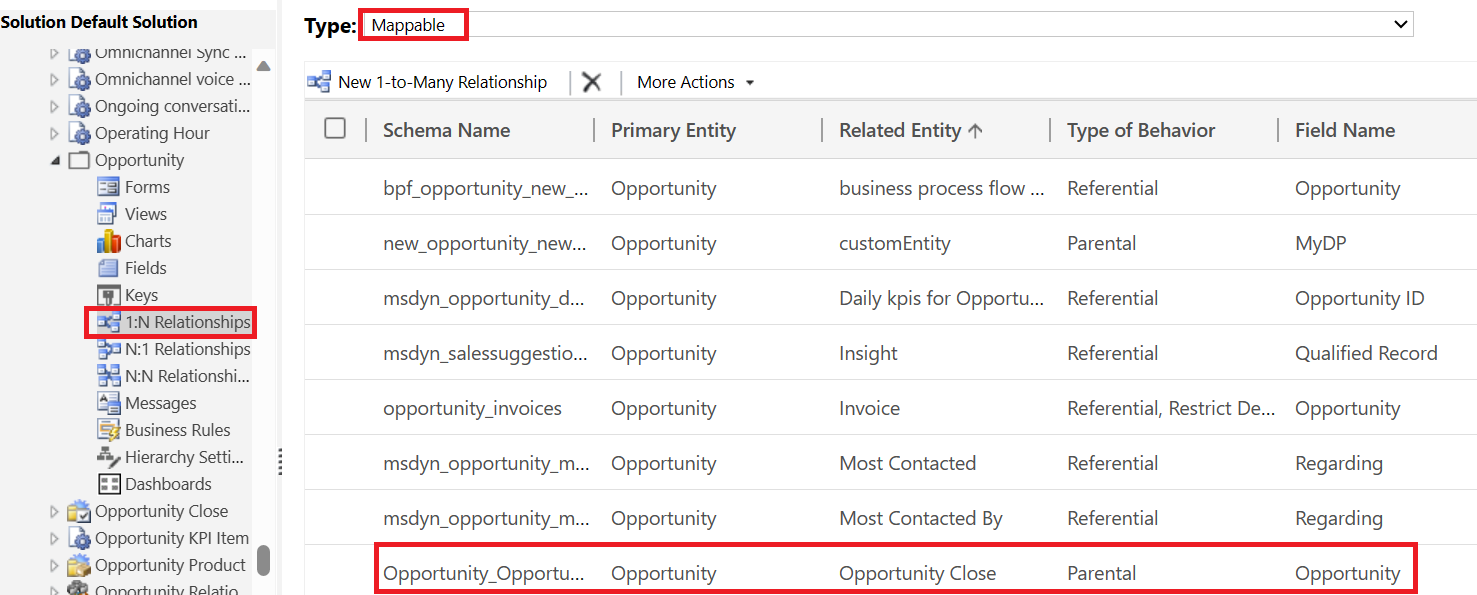
- In the solution explorer, go to Components > Entities > Opportunity > 1:N Relationships.
- From the Type drop-down list, select Mappable.
- Double-click the Schema name of the relationship Opportunity_OpportunityClose.
- In the Relationship window, Select Mappings.
- Select New to create field mapping between the Opportunity and Opportunity Close fields.
- Save the changes.

 D365 CE Decoded by Sanchit
Leave a comment